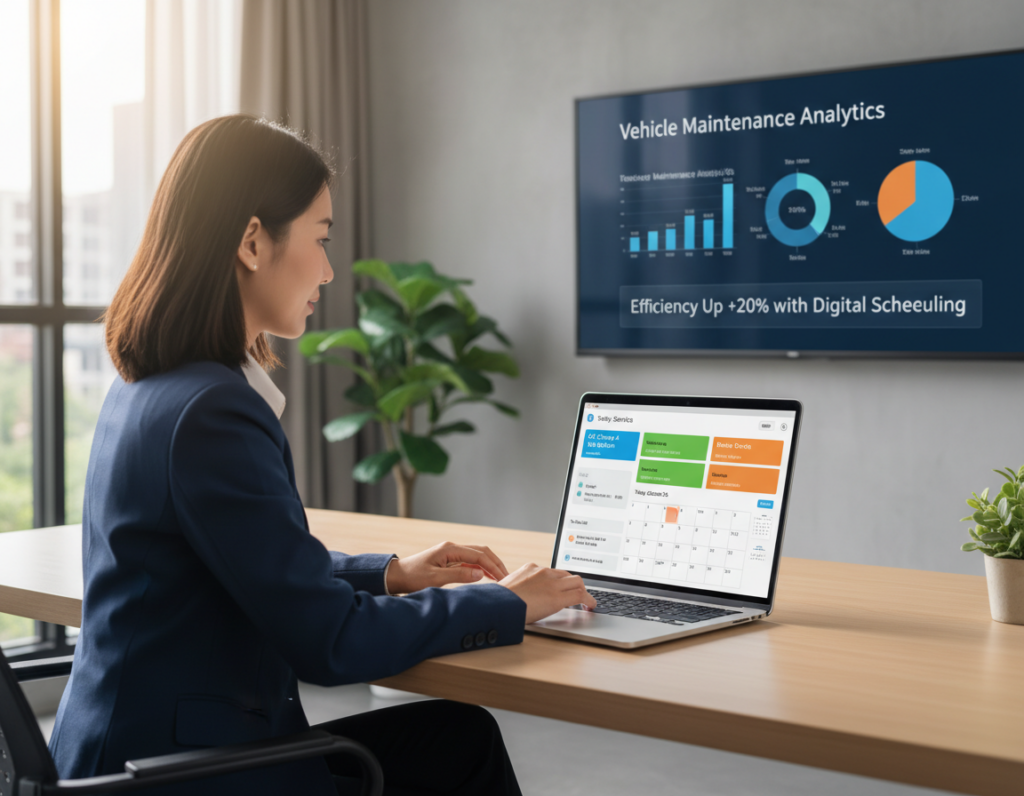
Remote vehicle diagnostics now gives experts live access to on-board data without an immediate shop visit. This change cuts travel time and speeds up decision making for fleets and shops alike.
The trend rests on two clear models: telematics-led monitoring that sends fault codes, GPS, and alerts, and direct expert access to onboard systems when a specialist is offsite. Both reduce wait times for bay space, technician arrival, and parts ordering.
This introduction previews a practical how-to: what gear you need, basic setup steps, and how these tools fit into existing service workflows without a full overhaul. Expect guidance for fleet managers, shop owners, service advisors, and mobile techs who want faster first-time fixes and fewer repeat visits.
Look ahead: more over-the-air fixes, tighter scheduling integration, and earlier detection that shifts work from reactive repair to planned maintenance.
For deeper context and real-world examples, see this guide on connected car practices.
Key takeaways: Understand models that transmit live data, learn minimal setup needs, and see how early alerts cut downtime.
Why Remote Diagnostics Matters for Modern Vehicles and Fleets
Modern cars now stream continuous controller data, changing how shops and fleets make service choices. Sensors and ECUs push frequent fault codes and operational signals. That shift turns occasional check-engine events into always-on data that teams can act on before parts fail.
What’s changed: sensors, ECUs, and always-on information
Today’s controllers log temperature, pressure, speed, and status more often. This steady flow gives a clearer picture of component wear and early issues.
Continuous signals mean technicians see trends instead of snapshots. That improves decision quality by pairing fault codes with severity notes and recommended steps.
Where this saves time and money
Fleets gain the biggest advantage. One unplanned breakdown can cause towing, reloading, and missed deliveries across routes.
- Less downtime: Early alerts reduce catastrophic failures and lower repair costs.
- Better triage: Minor faults wait for scheduled stops; severe brake or transmission faults trigger immediate action.
- Clear information: Companies get structured reports instead of driver descriptions, so service teams act faster.
What Remote Diagnostics Is and What It Isn’t
Remote diagnostics combines telematics, third-party tools, and fleet software to send fault codes, GPS, and status to technicians offsite. It gives fast alerts and suggested action plans, but it does not replace hands-on checks for certain faults.
In-bay vs. offsite testing
In-bay vehicle diagnostics means a technician plugs into the car, runs tests, and inspects components in the shop. That setting supports physical tests that a disconnected session cannot perform.
By contrast, offsite access and automated telematics provide data and initial direction. Use them to triage and prepare, not as a universal cure-all.
Monitoring vs. interactive troubleshooting
Monitoring watches health and sends alerts. Interactive troubleshooting lets an expert run routines in real time, often using solutions like FlexiHub to view a live session.
Key terms and limits
Fault codes are structured signals from ECUs (engine, brake, transmission) that need context to become an accurate diagnosis. A telematics device sends that data into a fleet management system, which routes information and creates action steps (example: Noregon reports).
“Use codes to guide work, not to finish it.”
Secure communication matters early: these systems move sensitive data across networks and should use strong encryption and access controls.
How Remote Diagnostics Works End-to-End
A single logged fault can start a full response sequence that reaches dispatch, the shop, and the driver without delay.
The trigger is simple: a controller records a fault code and the workflow begins automatically. This removes dependence on a driver to report a problem or visit a shop.
How the event is packaged and sent
A telematics device bundles the code with GPS and supporting data like speed, engine load, and recent sensor values. That extra information cuts ambiguity during triage.
How analysis creates clear next steps
The fleet management system scores severity, maps recommended actions, and adds an effect-on-vehicle note (examples: keep driving, service soon, stop now).
How alerts reach the right people
Notifications route to dispatch, maintenance, or service managers via email, web services, or mobile apps. Multiple channels ensure timely response without relying on one inbox.
The operational decision loop
Decide fast: the system suggests nearby dealers, repair shops, or towing options, lets teams schedule planned maintenance, or clears low-risk problems to continue the trip.
| Stage | What the system sends | Main recipient | Typical outcome |
|---|---|---|---|
| Trigger | Fault code + timestamp | Fleet server | Start analysis |
| Package | GPS + sensor data | Service team | Faster triage |
| Analyze | Severity score, action plan | Dispatch/manager | Route to shop or continue |
| Notify | Email/app alert | Technician | Work order or on-road guidance |
Why this matters: the end-to-end flow reduces miscommunication and helps fleets standardize responses across many drivers and assets. That consistency saves time and lowers repair costs.
What You Need to Run Remote Vehicle Diagnostics
Running live checks needs three core layers: the right interface, steady connectivity, and OEM-aware software.
Hardware: interface and scanner
Start with an OBD2 scanner or a J1850 tool that supports J2534 Pass‑Thru. That pass‑thru interface lets a laptop act as the bridge to the car’s modules.
Verified examples: Autel MaxiVCI V200, Volkswagen VAS 6154A, CarDAQ Plus 3, Nexiq USB‑Link 2, and Tactrix Openport 2.0 help validate compatibility.
Connectivity: laptop, internet, and secure channel
A connected laptop with stable internet is essential. Live data sessions and large log transfers need bandwidth and low latency for good performance.
Secure communication means authenticated sessions and encrypted transport so module data stays private while it travels over the internet.
Software: diagnostic testing and compatibility
Use testing software that supports your make and model. FlexiHub and OEM tools let a remote expert access a local device, but software still must include the car’s coverage.
Minimum viable stack: interface hardware, connectivity, and software that can read and test the target vehicle. Confirm each layer before relying on the system.
For deeper integration and analytics guidance, see this guide on automotive analytics.
How to Set Up Remote OBD Access for a Service Team
A simple workflow change lets expert techs join a session as if they stood at the workbench. Keep the interface on the car and let the specialist connect over the internet. This preserves existing tools and the shop’s diagnostic software.
What changes and what stays the same
The interface stays with the vehicle. A laptop or scan tool stays in the bay while an expert logs in and runs the same tests. No software rewrites are needed. Existing licenses and procedures keep working.
How the communication server works
The communication server brokers sessions. It routes requests and responses between the car-side equipment and the remote expert. FlexiHub, for example, makes the local tool appear on the remote desktop so diagnostics proceed as if local.
Team and shop setup tips
- Assign who owns the vehicle-side workstation and which tools are shareable.
- Grant expert privileges to select technicians and schedule access to avoid conflicts.
- Label gear, log sessions, and define initiation rules for on-road or in-bay work.
Outcome: faster escalation to specialists, fewer stalled repairs, and better use of skilled staff across sites.
“Keep the tool near the car and let the expert connect—it saves travel and keeps software stable.”
How to Perform Remote Car Diagnostics Step by Step
Follow a clear, repeatable checklist so shop staff and offsite experts stay in sync during a diagnostic session.
Create and verify accounts and workstation access
Step 1: make an account for your chosen service and verify by email. Identity checks matter. They prevent unauthorized access to the diagnostic interface and protect vehicle information.
Install the access software on both endpoints
Step 2: install the access software on the local shop computer and the remote expert computer. Use the same account so the device is listed for sharing.
Connect the diagnostic device to the car and local PC
Step 3: plug the interface into the vehicle and then to the workstation. Power the device and confirm drivers load. Confirm the local OS recognizes the device before the session starts.
Authenticate endpoints so the device appears local to the expert
Step 4: log into the same account at both ends. Grant permission for the tool to share. When authenticated, the remote technician will see the interface as if it were plugged into their machine.
Run standard tests and document findings for a repair plan
Step 5: run normal scans, capture codes, freeze-frame and live data notes, and record clear next steps. Save logs and attach them to the work order so on‑site techs can finish the repair quickly.
- Pre-stage drivers and software updates to save time.
- Label gear and assign who handles the local “hands.”
- Keep a secure access log for audits and follow-up.
“Authenticate every session and capture data in a single, shareable report.”
Using Android Devices for Remote Diagnostics in the Field
Android phones and tablets make roadside checks faster and more flexible. They act as a portable bridge when a laptop is not on site.
Connecting via Bluetooth or OTG cable
First, plug an OBD scanner into the vehicle and pair it with an Android device. Use Bluetooth for convenience and low setup time.
Choose an OTG cable when you need more stable power and faster data transfer. Not all scanners support both modes, so check compatibility before deployment.
Accessing the Android-connected scanner from a computer
Install FlexiHub on the Android device and sign in. Share the connected scanner through the app so a remote computer can see the tool as if it were local.
A technician on a desktop then runs the same shop software to view live data, run tests, and save logs in real time.
Best-fit use cases and operational tips
Ideal scenarios: mobile technicians doing quick triage, roadside checks to decide tow vs. continue, and small yard locations without a full shop setup.
- Label each Android device and OTG cable per location for quick tracking.
- Restrict sharing permissions and verify connectivity before a live session.
- Keep a backup power pack for prolonged monitoring or heavy data sessions.
| Connection | Stability | Power | Best use |
|---|---|---|---|
| Bluetooth | Moderate | Low (battery) | Quick roadside checks |
| OTG cable | High | Vehicle power via port | Extended sessions and log transfers |
| Wi‑Fi hotspot | Variable | Depends on device | Remote sites with good cellular coverage |
“With FlexiHub and multiple Android devices with OTG cables, I can monitor my clients’ trucks… access any truck and correctly diagnose its issues.”
Fleet Use Cases: From Faster Decisions to Higher Uptime
Catching a small fault early often prevents a full roadside breakdown and costly tow. For fleets, quick alerts that combine codes with severity and GPS turn an uncertain stop into a planned event. This reduces unplanned downtime and keeps loads moving.

Interrupting the breakdown path
Common failure chains start with an ignored fault, then damage worsens, then a roadside failure forces a tow and misses a delivery. A remote diagnostics alert interrupts that chain by flagging the issue while it is still minor.
Severity-based dispatch choices
Severity context helps dispatchers choose. Low-risk alerts are scheduled for the next depot stop. High-risk alarms trigger immediate routing to the nearest dealer or approved service to protect safety and uptime.
Clear information, fewer errors
Structured, system-generated reports remove the driver-to-dispatch-to-shop “telephone game.” Teams get consistent data so technicians arrive prepared and the company wastes less time clarifying reports.
GPS-enabled triage and measurable KPIs
Telematics sends codes plus location so the system suggests nearby repair shops or towing providers. Measurable results include fewer tows, less idle time, and better shop readiness when trucks arrive.
Bottom line: a diagnostic system becomes the coordination layer that aligns drivers, dispatch, and maintenance under one shared view of vehicle health.
Best Practices for Accurate Remote Diagnosis and Faster Repairs
Set clear playbooks so teams respond the same way to each fault code and avoid ad hoc fixes.
Standardize action plans and escalation
Create standard action plans for each fault family and severity level. Use short checklists so any technician knows the next steps.
Escalation rules should state when a local tech handles the job, when to call an offsite expert, and when to route the vehicle immediately to service.
Pre-arrival staging and prep
Use incoming code outputs and health reports to stage parts, tools, and bay time before the vehicle reaches the shop.
This reduces idle time and raises first-time fix rates, saving the company money on repeat work.
Document and loop back
Turn findings into a written repair plan listing likely components, validation tests, and the next check if the first fix fails.
After repair, confirm the issue clears and capture what worked. Feed that data back to refine future action plans.
| Practice | What to prepare | Benefit |
|---|---|---|
| Action plans | Severity matrix, step list | Consistent, fast response |
| Pre-arrival | Parts, tools, bay slot | Lower wait time, higher first-time fix |
| Maintenance integration | Trend logs, bundled work | Fewer repeat visits, reduced cost |
“Documented procedures and pre-staged resources turn information into on‑time repairs.”
Security, Reliability, and Performance Considerations for Remote Diagnostic Systems
A robust solution balances encryption, bandwidth, and session resilience to keep expert access dependable.
Protecting data in transit and managing access
Encryption in transit is non-negotiable. Use strong TLS/SSL; FlexiHub, for example, protects transmissions with advanced 2048-bit SSL encryption to guard sensitive telematics and fault logs.
Role-based permissions limit who can connect and what they may access. Combine multi-factor authentication with strict user roles so only authorized staff run tests.
Latency, bandwidth, and real-time performance
Real-time monitoring and large log transfers need steady throughput. Low bandwidth or high latency breaks live streams and leads to incomplete captures.
- Test network readiness at each site with upload/download and latency checks.
- Prefer wired or high-quality cellular links for heavy sessions.
- Set minimum performance levels for acceptable live work.
Session continuity and operational safeguards
Design systems to survive short internet drops. Features like “Keep connection active” preserve session state and prevent data loss when links blink.
Operational rules help too: log every session, review access history, and harden workstations with updates and endpoint controls.
“A stable, secure setup reduces false conclusions from interrupted streams and keeps technicians focused on fixes.”
The Future of Remote Diagnostics: What to Expect Next
Expect a shift from simple alerts to active orchestration of repairs, parts, and schedules. Advances in bi-directional control and predictive scoring will let experts do more from afar while shops prepare better before a vehicle arrives.
Bi-directional controls and over-the-air troubleshooting
Bi-directional controls let a specialist run interactive tests, toggle actuators, and push software updates without being on site.
That capability reduces unnecessary trips and can fix some faults entirely via an over-the-air session, cutting repair time and costs when used with strict governance.
Predictive scoring and earlier detection windows
Predictive health scoring moves teams from reactive alarms to probability-based risk windows.
Scores show likely mileage ranges to failure and recommended service timing. This helps schedule work before issues become urgent.
Manufacturers using aggregated data to improve parts
OEMs and manufacturers analyze pooled diagnostic information to spot weak components.
That analysis drives design tweaks, better parts, and fewer warranty events over time.
Deeper integration with service centers
Richer information sent to shops enables parts staging, tool prep, and higher first-time fix rates.
Outcome: faster turnaround, fewer repeat visits, and smoother workflows for service teams.
| Trend | What it enables | Benefit |
|---|---|---|
| Bi-directional control | Interactive tests, OTA fixes | Lower onsite visits, faster repair time |
| Predictive scoring | Risk windows, mileage estimates | Scheduled service, fewer breakdowns |
| Aggregated manufacturer data | Parts reliability insights | Improved components, fewer warranties |
| Service-center integration | Pre-arrival info and staging | Higher first-time fix, reduced labor |
“The shift is clear: systems will orchestrate people, parts, and schedules in near real time.”
For practical steps shops and fleets can take today, see this guide on AI-powered vehicle diagnostics.
Conclusion
A simple pilot can prove how connected access shortens wait times and raises fix rates. Remote vehicle diagnostics blends live data, clear severity scoring, and action plans so teams decide faster and save time and money.
Start with the right hardware and software, secure connectivity, and a standard action plan so the diagnostic system yields consistent results. Pilot a few vehicles or sites to measure impact before scaling.
Customer benefits are immediate: faster turnaround, fewer repeat visits, and clearer communication that builds trust. Early adopters gain operational discipline and set the level for higher uptime as systems evolve toward predictive insights.