
Anúncios
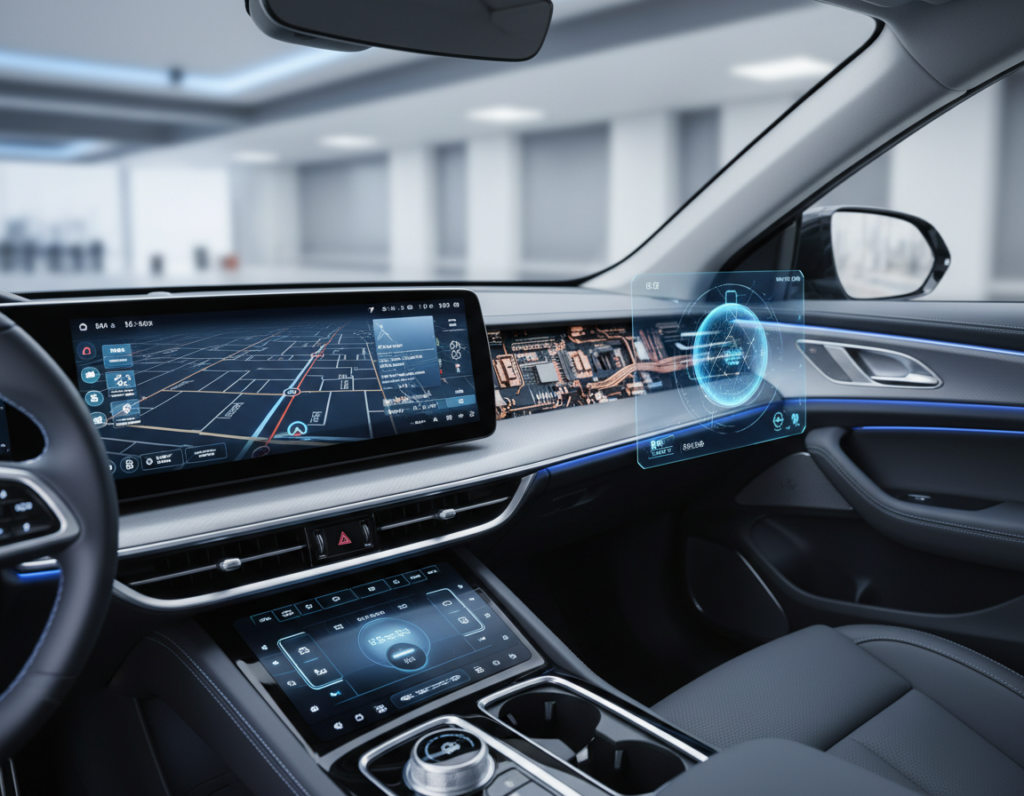
What once was a simple dashboard has turned into a software-first surface. The term digital cockpit design captures that shift: gauges and knobs gave way to screens, apps, and interactive controls. TomTom’s 2022 webinar framed the modern digital cockpit as the hub of in-vehicle experience for drivers and passengers.
This article will trace the arc from analog gauges to multi-display cabins. You will see how safety rules, user needs, and brand goals shaped each step.
Today’s cockpit serves multiple users and use cases — driving, navigation, media, and comfort. Manufacturers blend automotive engineering and software technology to meet those demands.
Read on to learn why capability grew so fast, how interfaces changed, and what the modern stack looks like. The key tension is clear: add features while cutting cognitive load and build experiences that last across a vehicle’s lifecycle.
Why car interiors changed so fast in the past few years
Rapid shifts in connectivity, batteries, and user expectations rewired how automakers think about the cabin. These market forces compressed change and made software a core part of how vehicles deliver value.
Anúncios
From “driving space” to a connected living space
Manufacturers moved beyond basic telemetry. The cabin now supports comfort, entertainment, productivity, and passenger engagement.
More screen room and always-on links mean the interior functions like a small living room on wheels. OEM priorities shifted accordingly.
Smartphone expectations reshape in-vehicle user experience
People expect phone-level speed, smooth graphics, and consistent patterns. That expectation forces automakers to match app-style responsiveness.
Anúncios
Personalization, seamless voice assistance, and instant updates matter. They create a familiar experience for each user.
Software-defined vehicles and connectivity set the new baseline
Software now unlocks post-sale features and over-the-air updates. This turns the car into an updatable product rather than a static one.
The result: more screens, more software, and a need for a system-level approach to UX and safety that unifies displays, ADAS surfaces, and vehicle-wide services.
- Market drivers: connectivity, electrification, and consumer habits.
- New role: the cockpit orchestrates features across comfort and safety areas.
- Outcome: faster pace of change across a few years and rising demand for unified systems.
Analog roots: knobs, gauges, and early infotainment
Early car cabins relied on tactile parts that drivers learned by touch long before screens arrived. Physical knobs, dials, and buttons formed dedicated interfaces optimized for quick, eyes-free action.
Physical controls and muscle memory as the original interface
Controls were placed predictably so a driver could react without looking. Immediate actuation cut decision time and limited cognitive branching.
Early radio and navigation as the first “information” layer
The first infotainment was simple: AM/FM radios and basic media knobs. It arrived as an add-on, not the center of the cabin.
Standalone navigation units evolved into in-dash systems, making navigation the first true information layer beyond vehicle status. Those systems set conventions: clear hierarchies, driver-first placement, and simplified interaction models.
- What stayed: predictable layouts and tactile feedback.
- What changed: screen-based flexibility traded tactile certainty for richer information and new interaction patterns.
The transition era: when screens started replacing switches
The industry reached a turning point when displays became expected, not optional. In a few years, what was once a premium feature moved into mainstream lineups. This transition reshaped how automakers thought about controls and cabin space.
Touchscreens move from premium feature to mainstream standard
Touch panels dropped in cost and grew in capability. Luxury cars showed the way, then mass-market models followed. Drivers learned new habits as screens replaced rows of buttons.
Infotainment growth and the rise of multi-modal controls
Infotainment expanded fast because apps, streaming, and connected maps demanded one surface to host many functions. The result: more features moved onto touch surfaces.
To balance safety and usability, manufacturers added voice and tactile hand controls. Each mode has strengths: touch for flexibility, voice for hands-free tasks, and knobs for quick adjustments.
What changed for drivers, passengers, and interior space
Passengers gained rear displays and shared media setups. Preferences split by age: newer users often favor screens, while others miss physical buttons.
Space, packaging, and costs pushed OEMs to consolidate hardware into software menus. That made cabins cleaner but sparked debates about usability and long-term experience.
| Control Mode | Strength | Typical Use |
|---|---|---|
| Touch | Flexible, rich visuals | Infotainment, maps, apps |
| Voice | Hands-free, safe while driving | Navigation, calls, media control |
| Physical controls | Immediate, low distraction | Climate, volume, quick toggles |
Digital cockpit design today: multi-display layouts and unified experiences
Automakers now configure instrument clusters, center panels, and rear monitors in countless combinations. That variety drives a wide range of cabin layouts even inside a single model line.
Infinite variations of screens include driver clusters, center displays, passenger panels, and rear-seat infotainment. TomTom’s Drew Meehan highlighted these many permutations as a defining reality for modern cockpits.
Pillar-to-pillar and full-dash concepts
The Mercedes hyperscreen-style approach shows the engineering cost of “one big screen.” Elektrobit and others point to pillar-to-pillar panels and headrest displays as next-gen directions.
Unifying HMI across screens
Unified HMI means shared navigation patterns, predictable info placement, and a common visual language so drivers see consistent cues across panels.
- Theming: TomTom’s Christina Yu-Ting Wang recommends related hues to signal information levels while keeping the brand look cohesive.
- Integration: Infotainment now links to vehicle functions, so UI consistency is a safety and quality concern.
Today’s system choices shape the cockpit’s role: not a patchwork of surfaces, but a single OEM-led experience that balances usability, brand, and technology across the cabin space.
User experience and safety in modern cockpits
Good in-vehicle UX puts the right information in the right place at exactly the right time. That choice reduces distraction and protects attention for the driver during critical moments.
Deciding what information belongs where
Adopt a tiered framework: instrument cluster for driving-critical cues, center stack for route and media, and passenger/rear screens for secondary tasks.
Context controls timing—show alerts immediately, defer nonessential notifications, and use progressive disclosure so the driver sees only what they need.
Preventing clutter and driver overload
Clutter is visual and cognitive. In emergencies, dense menus slow reactions. Prioritize single-line alerts, consistent iconography, and short, actionable messages.
Voice, touch, and hand controls: the tradeoffs
Each mode has limits: voice struggles with noise and accents; touch suffers from glare and reach; knobs work with gloves and motion. Use multimodal fallbacks and limit deep menus while driving.
Designing for new generations of users
Many younger users prefer screen-based controls, but safety must guide feature placement. Value beats visuals—features should simplify driving, not showcase tech.
- Practical UX patterns: prioritization tiers, progressive disclosure, consistent alert styling, and shallow interaction depth while driving.
- Expert note: decide what appears where to avoid overload and preserve safety for drivers.
What powers a digital cockpit: hardware, software, and platform choices
Behind the glass, engineering turns feature lists into a working product. The pipeline pairs SoCs, middleware, and graphics engines with rigorous integration and testing.
Software stacks and system integration map requirements to production. Teams start with specification, build middleware that ties apps to hardware, and then move into validation and production engineering.
SoC performance and graphics realities
SoC and GPU limits force choices: use stylized 3D assets, reduce polygons, and offload tasks to middleware. This yields high-fidelity visuals on cost-sensitive hardware.
Multi-OS on one platform
Hypervisors let one SoC host Android for infotainment while Linux or QNX run safety functions. That keeps systems isolated but sharing compute efficiently.
Service-oriented platforms and scaling
A service-oriented architecture enables modular growth. The same platform can scale from a single display to multiple screens without full rewrites.
Premium displays and interaction tech
New materials—3D cover glass, OLED concepts, flexible glass—and haptic feedback raise perceived quality and usable controls.
Platform choices affect costs, responsiveness, and lifecycle updates. For more on head-unit platforms, see head-unit platforms.
OEM strategy and the ecosystem battle: branding, CarPlay concerns, and total cost
OEMs now view the cabin software as a primary way to express what their cars stand for. Controlling the end-to-end experience helps automakers protect a unique brand feeling. Jeep and Maserati, for example, can share platforms yet deliver very different emotional pulls.
Third-party integrations like CarPlay create tension. They offer convenience but can dilute an OEM’s identity. Relying on external ecosystems also adds dependency and connection volatility that matters in safety-critical moments.
Safety, reliability, and vendor strategy
Schreiner and others warned that outsourcing safety-relevant controls risks reliability and user trust. OEMs worry about dropped links and inconsistent behavior in busy networks.
Development time and costs
Multiple vendors raise integration burden. Elektrobit argues integrated approaches cut development time and costs by reducing coordination and rework.
| Approach | Impact on development | Long-term risk |
|---|---|---|
| Many vendors | Longer timelines, higher coordination | Integration failures, higher lifecycle costs |
| Integrated supplier | Faster delivery, fewer handoffs | Lower total costs, simpler updates |
| Third-party UX (e.g., CarPlay) | Quick features, user familiarity | Brand dilution, connection dependency |
Future-proofing and monetization
TomTom’s panel stressed hardware that lasts 10+ years and supports OTA updates to protect resale value. OEMs now treat software and hardware as a unified product that must age well.
Subscriptions and feature packages let manufacturers deliver continuous upgrades. This path spreads revenue and keeps vehicles current without costly mid-life hardware swaps.
What’s next: 3D UI, wearables, AR/VR, and personalization
Future cabins will use smarter visuals and personal sensors to make interactions clearer and less intrusive. Lightweight 3D elements add value where depth helps — map perspective, ADAS cues, and spatial alerts. Stylized 3D can convey intent without heavy assets, easing GPU load on constrained hardware.
Wearables, biometrics, and in-cabin sensing
Wearables and seat sensors extend the cockpit into a health-aware space. TomTom’s Paul Schouten noted real use cases: detect fatigue, flag stress, and nudge the driver or adjust cabin settings.
Mirrors, monitoring, and privacy
Digital mirrors and driver monitoring systems tie safety to layout and alerting logic. Privacy rules and clear opt-in flows must guide sensor use and data sharing.
Generative AI and personalization
Generative AI can power voice dialog, theme engines, and quick setup flows. Elektrobit highlights how this software reduces menu hunting and tailors features to a user’s routine.
Autonomy and expanded experiences
As autonomy grows, infotainment will shift to VR, work modes, and shared media. The right approach is simple: add personalization and richer visuals only when they measurably reduce friction and improve comprehension.
Conclusion
Car interiors flipped from static hardware to updatable systems that shape long-term value. The shift means the cockpit is now a software-led surface within the car that can improve over time.
Success hinges on the user. Prioritize safety, low cognitive load, and clear controls during real driving. Simple, predictable interactions beat flashy menus when attention matters most.
Under the hood, robust hardware choices, multi-OS strategies, and modular platforms tie to OEM priorities like branding, costs, and lifecycle updates.
Practical takeaway: when evaluating vehicles, look for cohesive experience, reliable connectivity, and evidence features were built around driving realities.
Future advances — 3D UI, wearables, AI personalization, and autonomy — will extend this same goal: safer, simpler, and more valuable in-cabin time.

 English